
Chinese Invoice Verification Mismatch: What to Do
Resolve a Chinese invoice verification mismatch by comparing the original, submitted fields and returned record, then request the right evidence from the issuer.
Start with the Chinese legal name or USCC. Confirm the matching company before opening its profile.
If a Chinese invoice check returns 不一致 (“inconsistent”), compare the information you submitted with the original invoice before trying again. If those values agree and the result remains unresolved, contact the issuer with the original file and the exact response. A failed comparison is a reason to investigate; it does not, by itself, explain who made the error or prove that the supplier fabricated the invoice.
There are two different situations to separate. The service may return an inconsistency message without showing the invoice details. Alternatively, it may return a matching record whose buyer, seller or amount differs from the attachment you received. In the first situation, check the submission. In the second, compare the documents. Treating both as “the invoice did not work” makes the next exchange with the issuer unnecessarily difficult.
Identify the result
Keep the result exactly as it appeared, together with the check date and the values submitted. In its explanation of verification results, the Guangxi tax authority describes “inconsistent” as at least one submitted verification item differing from the tax authority’s electronic information. It advises contacting the issuer or the issuer’s competent tax authority when the submitted items have been confirmed against the invoice.
That message does not necessarily identify the individual field that differs. Do not write “wrong amount” in your records unless you have actually found an amount discrepancy. A service may also translate the message or display its own error code. Keep the original wording alongside your explanation so that another colleague can distinguish what the service reported from what you inferred.
| What you see | What to check next |
|---|---|
| Inconsistent: 不一致 | Compare the submitted verification items with the original invoice and the requirements for its type. |
| No invoice found: 查无此票 | Check the identifiers and the service’s coverage; ask the issuer about the relevant issuing record if needed. |
| Network, CAPTCHA or file-reading error | Resolve the failed operation first. It has not established whether the invoice information matches. |
The national platform’s current operating instructions show “inconsistent” and “no invoice found” as separate outcomes. Its help section separately addresses access problems and lookup limits. Follow the branch that describes your response rather than treating every unsuccessful attempt as the same problem.
A supplier’s screenshot of an earlier successful check is a separate piece of material. Look for the invoice identifier and the time of that check before comparing it with your result. A picture that hides the number or shows another attachment cannot resolve the present discrepancy, even if the visible company name is familiar.
Check the submitted fields
Open the original invoice beside the submission form or the saved request details. Compare one field at a time, including any invoice code required by the selected route. Preserve leading zeros. Read the issue date from the invoice itself; the email date, payment date and delivery date may be different. An invoice number identifies the document, while the seller’s taxpayer number identifies the business. They are not interchangeable.
Then check the amount label. For common fully digitalized invoices, the official instructions require the 20-digit invoice number, issue date and total including tax, labelled 价税合计. For older special VAT invoices issued through the VAT invoice management system, the relevant combination includes the amount excluding tax. Certain ordinary invoices instead require the last six digits of the invoice verification code. Use the invoice type and the actual field label together; the PDF filename does not choose the correct route.
The Chinese VAT invoice verification guide sets out these input combinations. When troubleshooting, compare the value already submitted with the required value on your particular invoice. Do not cycle through the subtotal, tax and total hoping that one produces a green result. A corrected submission should have an identifiable reason.
File recognition needs the same comparison. If a service fills fields from an uploaded invoice, inspect the extracted values before submitting. If you cannot see what was extracted, retain the failed response and use an available manual route or ask the service for clarification. Upload success only confirms that the file reached that stage; it does not tell you which values were checked.
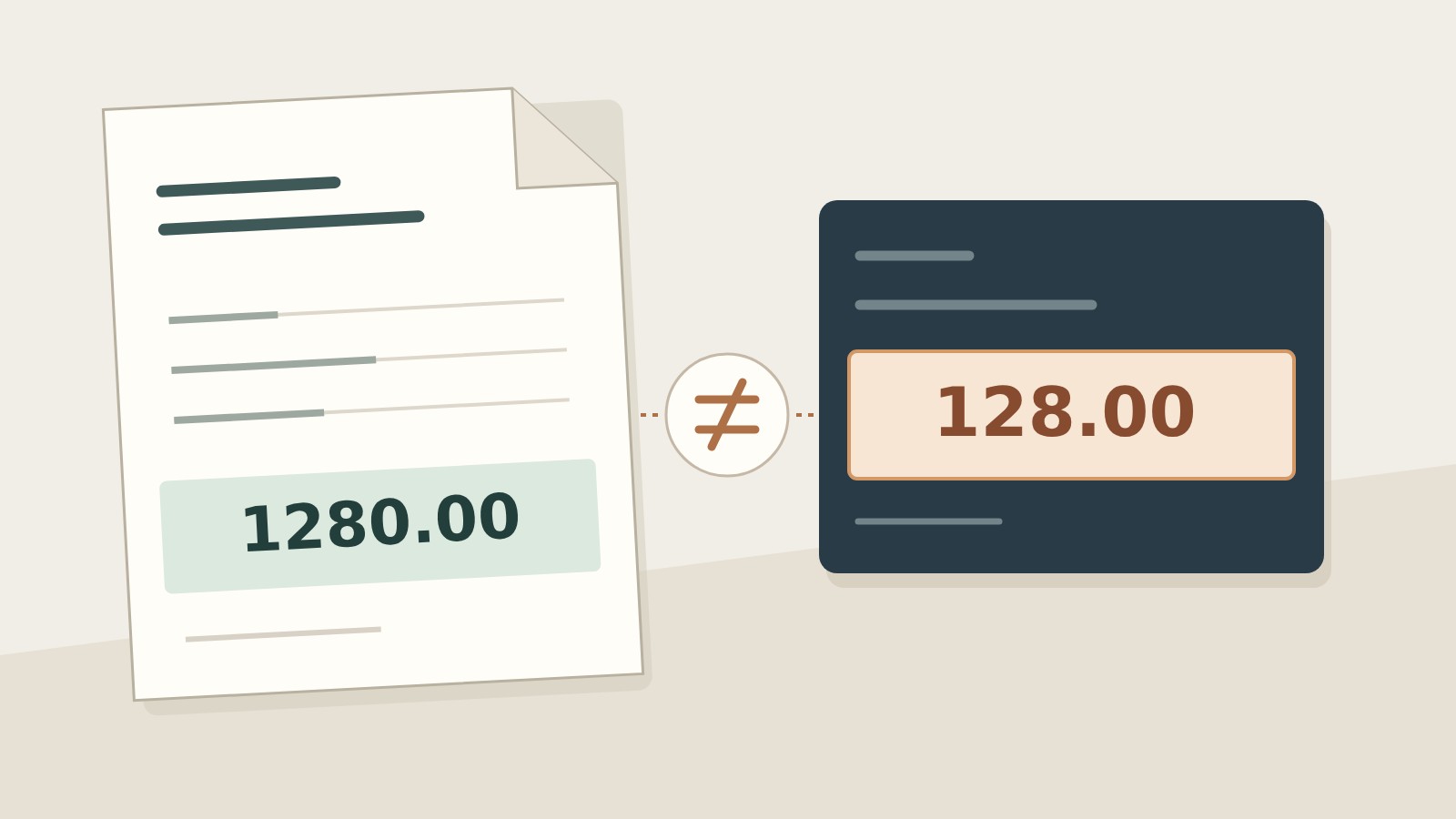
Suppose a fictional fully digitalized invoice shows a tax-inclusive total of CNY 1,280.00, but the saved submission contains CNY 128.00. The invoice number and date have been copied correctly. You have found a transcription discrepancy, not established that the invoice itself is false. Correct the submission to the value actually shown on the original, perform the appropriate check, and retain the new response beside the first one.
If the second check succeeds, record that the input amount was corrected. Do not say the issuer “fixed the invoice” when the issuer changed nothing. If it still fails, the missing zero explains only the first attempt; it does not explain the second result. Continue with the now-confirmed input rather than assuming that every remaining problem has the same cause.
When the source is blurred, cropped or unreadable, stop short of guessing. Request the original downloadable file or a complete legible copy. The invoice PDF guide covers file-handling problems. Converting the same unclear screenshot into another format does not establish the missing characters.
Ask the issuer to resolve it
Send the issuer a question that can be answered from its issuing record. Include the invoice identifier, date, relevant amount or code, the original attachment, the service used and the response time. Use your established communication channel and share the information only with people who need it. Avoid forwarding unrelated invoices or an entire supplier folder to explain one failed check.
We checked the attached invoice using the details shown in the original file. The service returned “inconsistent” at [check time]. Please confirm the invoice type and the relevant issuing record, and send the original electronic file if this attachment is a copy. If the invoice has been corrected or replaced, please identify the original invoice and the related document. We have attached the submitted fields so you can compare the same information.
This request gives the issuer something more precise than “please send a valid invoice.” A reply can establish that the wrong attachment was forwarded, provide a readable original, identify a corrected document or leave the issue unresolved. Ask the issuer to address the actual discrepancy. A general assurance that its invoices are genuine does not tell you why this submission failed.
Keep a newly received file as a separate version. Compare its invoice identifier, buyer, seller, date and amount with the first attachment before submitting it. If it concerns a different invoice, record that relationship rather than silently replacing the original. If only the document’s appearance changes, ask what changed and why; a new filename is not an explanation.
Where an issued electronic invoice contains an actual invoicing error, correcting the invoice is an issuer-side matter under the applicable rules. The tax authority’s English implementation rules describe red-letter electronic invoices for specified circumstances, including invoicing errors. Do not edit the supplier’s PDF yourself. The red-letter invoice explanation covers the relationship between the original and the adjustment.
If the issuer cannot resolve a material discrepancy, contact the relevant tax authority about the appropriate verification route. Article 38 of the current Chinese implementation rules provides for an application to verify invoice authenticity. Bring the original material and the comparison already performed. This is a route for resolving doubt, not a promise that a public website will issue a forensic conclusion on demand.
Compare any returned record
A lookup that returns details creates a different task: compare the returned information with the exact file you received. Check the invoice identifier first. Then compare the seller and buyer, item descriptions and amounts wherever the service displays them. Record which fields were actually returned; an interface that shows only limited information has not confirmed fields it never displayed.
If the returned buyer differs from the attachment, do not dismiss the difference because the seller and total look right. Save both versions and identify the conflicting field in your request to the issuer. Likewise, a genuine invoice for another order does not establish the details of your purchase. The comparison needs the relevant purchase order or transaction documents as well as the invoice record.
A seller-name difference can require company identification rather than another invoice lookup. Keep the Chinese seller name and taxpayer identifier together, then compare them with the company named in your supplier file. The supplier and invoice name-mismatch article explains that separate problem. A shared brand or salesperson does not make two registered companies the same entity.
Close the issue with a precise note: which original file was checked, which submitted value changed if any, what the latest response said, and whether any document or transaction difference remains. Preserve a failed attempt that explains the correction, but label the latest result clearly so the first screenshot is not mistaken for the final position.
You can use ChinaValidate’s invoice verification tool for its supported invoice inputs and review the response alongside the original. Use company search when the unresolved question concerns the Chinese seller’s identity. A completed invoice check does not by itself decide tax deductibility, reimbursement eligibility or whether a different bank beneficiary may receive payment.