
China Invoice Verification API
Choose the right ChinaValidate API for invoice fields, PDF or OFD, and use the verification result in your accounts-payable workflow.
Start with the Chinese legal name or USCC. Confirm the matching company before opening its profile.
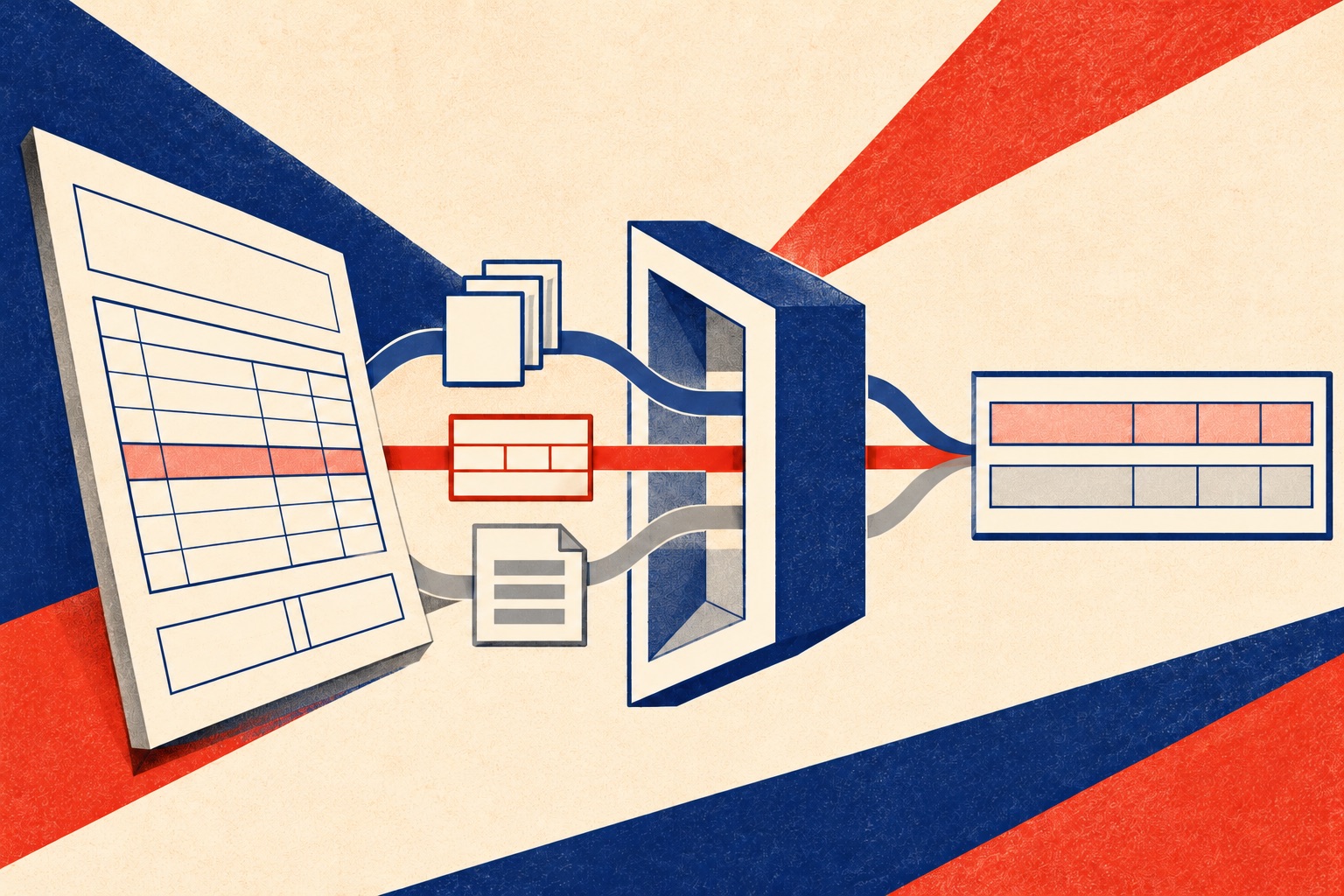
The invoice that reaches accounts payable can arrive as the original PDF, an OFD file, or a few values already entered in an expense system. It may carry the same invoice number in all three forms. The difference for a China invoice verification API integration is the input your system can reliably send. Choose that input at intake, and compare the returned record with the invoice and purchase order before moving it through your payment workflow.
To check an eligible Chinese VAT invoice, often called a fapiao, send the invoice fields, the original PDF or the original OFD to the corresponding ChinaValidate endpoint. Each route reports the verification outcome in data.verification_status when that result is available. An accounts-payable system can process the outcomes in one queue while keeping the route and the original evidence with each record.
One invoice, three inputs
Route the request based on what you received. If your supplier gave you the original electronic document, keep the file and its original format. If a buyer entered the invoice by hand or the workflow has reliable structured fields, send those fields. A filename on its own gives little assurance about what the file contains, so check that the attachment is the intended invoice before encoding it.
| Input available | API route | Send from your system |
|---|---|---|
| Invoice fields | POST /v1/invoices/verify |
Invoice number and issue date, with the other fields required for that invoice type. |
| Original PDF | POST /v1/invoices/verify-pdf |
The original PDF bytes encoded in file_base64. |
| Original OFD | POST /v1/invoices/verify-ofd |
The original OFD bytes encoded in file_base64. |
OFD is an electronic document format used for some Chinese e-invoices. Your accounting team can retain the OFD as received and submit it through the OFD route. Renaming an OFD attachment to end in .pdf leaves the file contents unchanged. If all you have is a screenshot, use it to transcribe legible fields carefully or ask the supplier for the original electronic file. The two file routes are documented around the original format. PDF interface and OFD interface.
Set one default route for each intake channel. An inbox that receives original PDFs can normally use the PDF route. A structured expense form can use the field route if it collects the information required for the invoice type. Keep the same internal invoice reference when a reviewer changes routes after getting a better document, so the history stays attached to one item.
Build the choice into the intake screen if finance staff can receive both files and structured data. For a file already attached to an invoice record, direct the reviewer to the format-specific route. If the record contains fields only, show the issue date, number and amount together so the reviewer can catch an obvious copying error before submitting. That gives the team a consistent starting point across email, supplier portals and expense reports.
Field requests
For a field lookup, preserve the invoice number as a string. This keeps leading zeros intact when data moves from a spreadsheet to your accounting system. Send the issue date in YYYYMMDD format using the date shown on the invoice. The date your team received the invoice and the posting date in your ledger belong in separate fields.
The remaining inputs depend on the type of invoice. Where applicable, the endpoint has separate fields for an invoice code and a verification code. The net_amount field is the amount excluding tax. For a 20-digit digital invoice, the API documentation also lists total_amount for the amount including tax and specifies that the request should supply one amount field. Store the two amounts separately in your source record, then send the one called for by the request. Field verification reference.
The following request uses the illustrative digital invoice values in the developer documentation. Replace them with values from the invoice you are checking. Make the call from a server where the API key can be kept out of supplier-facing pages.
curl -X POST 'https://api.chinavalidate.com/v1/invoices/verify' \
  -H "Authorization: Bearer $CHINAVALIDATE_API_KEY" \
  -H 'Content-Type: application/json' \
  --data '{"invoice_number":"25322000000000123456",
           "issue_date":"20250318",
           "total_amount":"1130.00",
           "language":"en"}'
China's State Taxation Administration lists the invoice number, issue date, buyer and seller details, amounts, tax and other items among the fields of a fully digitalized invoice. A digital invoice has a nationally assigned 20-digit number. If an older form has its own invoice code and verification code, keep those values separate from the invoice number in your integration. State Taxation Administration digital invoice announcement.
Read money from the amount field itself before you build the JSON. The invoice example has a net amount of 1000.00, tax of 130.00 and a tax-inclusive total of 1130.00. Saving the total under a generic amount field makes it easy for another part of the system to reuse it as a net value. Use labels in the review screen that match the amount convention in the request.
PDF and OFD payloads
Read the file as bytes, encode those bytes as Base64, and place the resulting string in a JSON field called file_base64. Send the JSON to the route for the actual file format. Populate the placeholder below with the encoded bytes, leaving out any data-URL prefix produced by a browser or file reader. An English-speaking review team can request language set to en.
{
  "file_base64": "BASE64_OF_ORIGINAL_FILE",
  "language": "en"
}
The same JSON shape works with each file endpoint. Keep the invoice reference and attachment in your accounting workflow, and log enough about the request to reproduce the check. A trace can record the route, time and an internal file reference without putting the entire Base64 file into a standard application log. Invoice attachments often contain trading-party and tax information that reviewers only need in the controlled invoice record.
If a file fails its input checks, examine the attachment and request payload before sending the same request again. Check that the file is the one supplied for this invoice, that its format matches the chosen route, and that the encoded string contains the document bytes. If the necessary fields are clearly readable, the field route may be a practical alternative while the buyer requests the original file.
Keep the invoice attachment and any related delivery notes or purchase documents separate in the intake record. In a supplier email with several attachments, encode the invoice document that corresponds to the queue item. If the returned invoice number differs from the number already associated with that item, check which file was attached before changing any amounts in the accounting record.
The verification response
Make data.verification_status the field your workflow reads for the invoice outcome. The envelope's code value of 0 indicates that the request completed. The illustrative excerpt below uses the totals from the API documentation and shows the relevant part of a match.
{
  "code": 0,
  "data": {
    "verification_status": "matched",
    "invoice_number": "25322000000000123456",
    "net_amount": "1000.00",
    "tax_amount": "130.00",
    "total_amount": "1130.00"
  }
}
Map each route's response to the same set of fields in your review queue. For example, the field endpoint documents the seller name as data.seller_name. The PDF and OFD interfaces document it as data.seller.name. Apply the same care to the buyer and their tax IDs. Keep the route and original response with the invoice record so a reviewer can trace the value if a field is absent or differs from the intake form.
For supported responses requested in another language, the API can return a separate top-level translation object. Keep the original names, numbers, codes and amounts from data as your reference for comparisons. Use the translated fields for display when present. A buyer can then read a result in English and still check the original Chinese seller name against the invoice and the registered supplier in the purchasing system.
Handle missing values explicitly when you map the response. If the available result has no line items, mark the line-item comparison as unfinished and refer to the original invoice. An empty field should remain distinguishable from a zero amount or an explicit status. This matters when a queue rule uses totals for a first pass and a reviewer checks individual lines only for selected invoices.
Accounts-payable decisions
A verification result is one check in the payment workflow. Make space for the team to handle a mismatch, a lookup that returns no matching record, and a failed request separately. The same invoice may also need an internal hold because the buyer name is wrong or the order amount differs, even when the API returns a match.
| API outcome | Accounts-payable follow-up |
|---|---|
matched |
Check the seller, buyer, total and any relevant line items against the order or expense record. Review the recorded void status if available. |
mismatch |
Check the submitted identifiers, date and amount against the original. Ask the supplier to clarify the discrepancy if it persists. |
not_found |
Confirm the invoice type and identifiers. Keep the invoice open for review if the record still cannot be located. |
| Request or service error | Route the issue to the integration queue and check the documented error. Keep the verification decision pending. |
Consider an invoice that verifies successfully but names a different buyer than the company on the purchase order. The team now has useful evidence about the issued invoice and a separate discrepancy to resolve. Keep both facts visible. Ask the supplier to reconcile the buyer details with the order and record the reply before releasing the invoice for approval. The check also leaves a straightforward trail when the supplier supplies a corrected document.
For a mismatch, start with values the system can explain. If the submitted amount includes tax but the selected request field expects the net amount, correct the input according to the route and invoice type. If the number or date differs between the entered record and the document, preserve what was first submitted and save the corrected value for a new check. Avoid treating a repeatedly submitted, unchanged request as fresh evidence. The API documentation explains which completed requests use credits, including normal mismatch outcomes.
Integration acceptance
Test the routes your team will actually use, beginning with an original document or a set of fields for a known invoice you are authorized to check. Verify that the accounting screen preserves the leading zeros in invoice numbers, that it labels net, tax and total separately, and that missing detail fields are shown as unavailable. Test a completed check with no matching record and a service error to make sure those events create distinct follow-up tasks.
Review one record from intake to approval with the person who will handle exceptions. They should be able to retrieve the submitted values, tell which endpoint ran, and see the outcome that moved the item into their queue. If the supplier resends a file after correcting the buyer name, attach the new check to the same case so both the original and the replacement remain traceable.
Save a compact check record with the invoice reference, the route, the time, the verification outcome and the reviewer action. Your payment queue can then explain why a verified invoice still needs review or why a lookup has to be retried. Open the ChinaValidate Developer Center for the live request and response fields. For an invoice you still need to check manually, use the Chinese fapiao verification guide.